Create a manual test in GlockApps, use its current test identifier and seed list, and send through the CRM route you are investigating. Record a baseline before changing anything. A test from a different mailbox connection answers a different question.
Prepare a question, not a score to chase
Use a sentence such as: “Do our candidate availability emails, sent from this ATS connection, reach the selected test mailboxes?” That makes the sender, route and message type explicit. Save the question with the result.
Have an authorised person check that the platform can send a test to external seed addresses. Do not import the seed list into an active candidate workflow, add it to follow-ups or leave it subscribed to future campaigns. Keep the test separate from real outreach.
Replace CVs, personalisation fields, candidate names and client details with synthetic information. Preserve the message structure and the kinds of links or attachments you need to investigate, using material you are authorised to share with the testing service.
Create the manual test
Open Inbox Insight in your own GlockApps account and choose the manual testing option. Its current instructions supply the identifier and destinations for that test. Select relevant provider coverage and note what you selected; the available environments and interface may change.
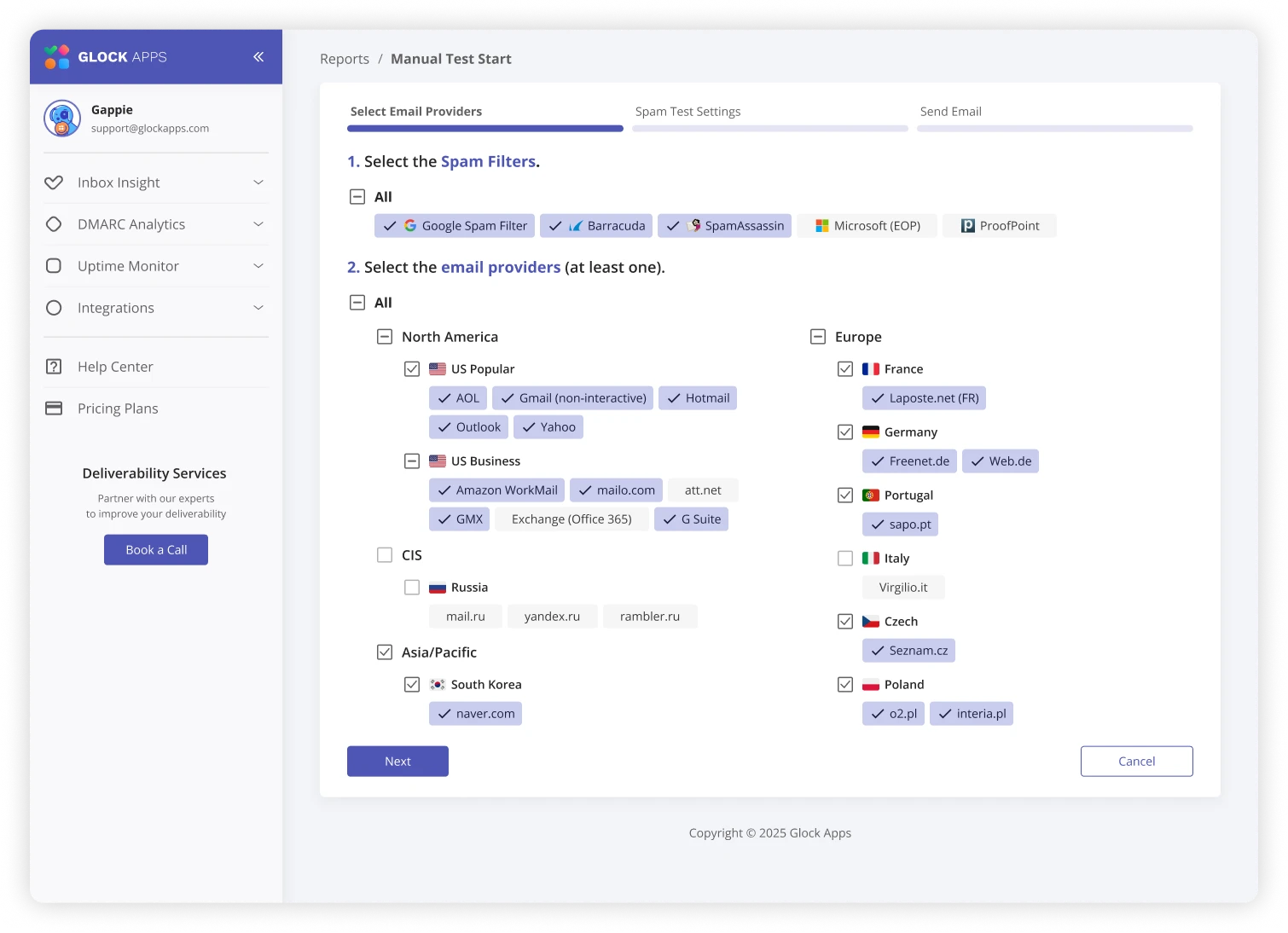
Use the identifier as directed by GlockApps and send the prepared message to its supplied list through the affected sending service. Its help documentation describes split seed lists for manual tests when a shorter batch is needed. Follow the service's current instructions rather than substituting old test addresses.
Smart and automatic tests are different workflows and can involve a connected mailbox. This guide uses the manual route. Review permissions before enabling a connection; it is unnecessary to grant mailbox access just to follow this manual-test procedure.
Keep the sending route honest
If the problem happens in Bullhorn Automation, sending a similar email from Outlook creates a mailbox test, not an Automation test. If your platform cannot reproduce the affected route to a test list, record that limitation and ask its support team for a supported method.
Check generated messages for failed merge tags. If your usual mail includes a tracked link, note whether the test retained the same tracking setup. A comparison that quietly changes both the route and the links is difficult to interpret.
Keep a reusable test record
Use a private document or download the blank test record. It contains no seed addresses or account credentials.
| Field | What to record |
|---|---|
| Question | The decision this test is meant to inform |
| Sender and route | Mailbox, product, connection and message type |
| Conditions | Date, time zone, test settings and selected providers |
| Message | Sanitised version reference, link tracking and attachment details |
| Baseline | Report reference and provider-level observations |
| Change | One justified change and who authorised it |
| Follow-up | Comparable result, limitations and next action |
The record is our suggested working method, not a GlockApps requirement. Do not put passwords, API keys or full candidate records into it.
Decide what to change before retesting
Read individual results and any missing messages. If the sending system did not send successfully, investigate that first. If a received header records an authentication failure, give the evidence to your administrator.
Choose one change with a reason, keep the other conditions comparable, and save the follow-up alongside the baseline. An improvement observed in seed accounts is useful evidence about those tests; it does not prove the change caused every future recipient's outcome.
If the result leaves you unsure, read the report interpretation guide or create a private IT handoff. There is no need to keep buying tests without a question to answer.
Open GlockApps to review its testing options
Ad / GlockApps affiliate link
Need to see where a test message lands?
GlockApps can show placement in its test mailboxes. Use your actual sending route and read the results by provider. It cannot guarantee placement with your candidates or clients.
We may earn a commission from an eligible purchase. Check current allowances and pricing with GlockApps. How links are funded.
Sources & scope
This is a documentation-led guide, not a claim of hands-on testing in your account. Sources checked 19 October 2026. Product settings and provider policies can change.
- GlockApps Help: manual, smart and automatic testing modes
- GlockApps Help: provider selection and split seed lists
- GlockApps: seed-list methodology and limits
Give IT something useful to work with.
Turn the symptoms and checks into a clear, private handoff.
Build an IT handoff