GlockApps is useful when you need evidence about a test message's placement or the senders using your domain. It does not replace your ATS, repair an unresponsive list or guarantee client inbox access. Start with one affected route and a question you can act on.
Start with the agency problem
An agency can have an ordinary mailbox, an ATS mailshot and an automation sequence using the same visible sender. A successful Outlook test says little about a campaign sent through a different service. Write down the affected product and connection before choosing a testing tool.
Here is how we would separate the decisions. These are suggested investigation paths, not results from a test of your account.
| Agency situation | Useful first evidence | Where GlockApps can fit |
|---|---|---|
| Candidate mailshots appear in spam | An affected message and its sending route | Compare a representative message across test mailboxes |
| Clients report missing BD emails | Recipient feedback, sending logs and original headers | Add a controlled placement test; keep business filtering limits in mind |
| Nobody knows which services use the domain | Inventory of the ATS, mailbox, campaigns and other senders | DMARC reporting can help investigate authentication across observed sources |
| Messages are blocked before sending | The platform restriction or complete rejection | Resolve the sending problem before paying for placement observations |
| Delivery looks normal, replies are low | List relevance, message purpose and actual recipient feedback | A test can inform one delivery question; it cannot measure interest |
Two product jobs to keep separate
Inbox Insight observes a message sent to GlockApps' seed mailboxes and provides diagnostic information. It is the relevant starting point for a question about the placement of a particular test message. Our manual-test walkthrough explains how to keep the comparison useful.
DMARC Analyzer addresses a different question: authentication and sources seen in DMARC reports for domains you control. It can help an administrator investigate your sending setup over time. It does not tell you which folder each candidate's message reached.
Choose the question first. You do not need to enable every product to investigate a single mailshot.
What a report looks like
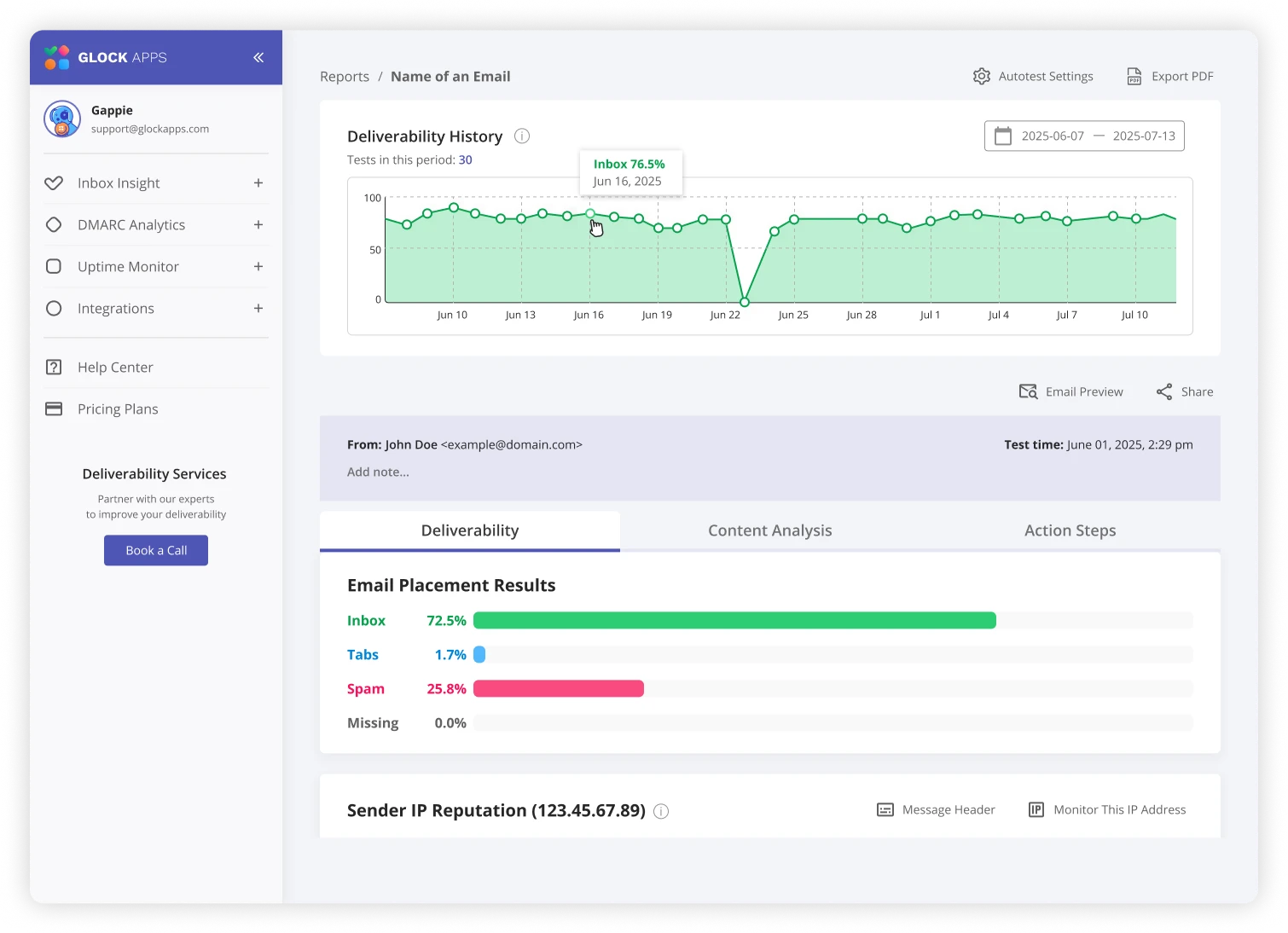
The useful question is what the report would change. If an administrator fixes an authentication issue, you can check a comparable message again. If one provider differs from the others, record that pattern rather than quoting an overall percentage as your agency's deliverability rate. Read the report guide before deciding what a result means.
What it will not do for your agency
A seed mailbox is not the recipient organisation's entire filtering setup. A client may have additional gateways, quarantine policies or individual mailbox rules. Microsoft's documentation also shows why a delivery status can coexist with junk-folder or quarantine treatment. Keep the real affected message in the investigation.
A tool cannot establish that an old candidate list is relevant, that recipients expect a campaign, or that your message deserves a reply. It cannot make an incorrect CRM sending connection equivalent to another route. Use the free diagnostic first if those basics are still unclear.
Choose a commitment that matches the work
GlockApps currently advertises a free plan with two spam-test credits. Allowances and billing options can change. Review the current terms before creating an account, and check the expiry and scope of any credit pack before buying one.
For an isolated investigation, define the baseline and the follow-up you need before choosing credits. A recurring plan makes more sense when someone owns a recurring process: recording changes, reviewing results and acting on useful findings. A subscription without an owner is another dashboard to forget.
See GlockApps and its current plans
Make the first test worth keeping
Pick one sender, one route and one sanitised message. Record the purpose, time zone, sender identity and message version. Save the report with a short note explaining what you will do next. The recruitment checklist provides a practical starting structure.
This is a documentation-led suitability guide. We have not performed a controlled hands-on evaluation of GlockApps for this publication, and we do not award it a score.
Ad / GlockApps affiliate link
Need to see where a test message lands?
GlockApps can show placement in its test mailboxes. Use your actual sending route and read the results by provider. It cannot guarantee placement with your candidates or clients.
We may earn a commission from an eligible purchase. Check current allowances and pricing with GlockApps. How links are funded.
Sources & scope
This is a documentation-led guide, not a claim of hands-on testing in your account. Sources checked 19 October 2026. Product settings and provider policies can change.
- GlockApps: Inbox Insight
- GlockApps: DMARC Analyzer
- GlockApps: current pricing and allowances
- Microsoft: what message trace can establish
Give IT something useful to work with.
Turn the symptoms and checks into a clear, private handoff.
Build an IT handoff